
IMSSystem overview
Information managementsystemInformationmanagementsystem
A centralized platform for internal data, workflows and approvals
CentralizedTransparentControlled

01Key section
Business contextand need for change
Standardize multi-department operations on a unified platform.

01
Scattered data
Information lives across many tools.
02
No common platform
Teams are not fully aligned.
03
Hard-to-track approvals
Progress lacks transparency.
04
Limited reporting
Management lacks a consolidated view.

02Key section
Business problems
Reduce manual work, improve consistency and speed up execution.

Operational pain points
Core issues that slow execution and reduce visibility across the organization.
Issues
05
Impact
Slower flow
Goal
Standardize
01
Slow handling
Difficult to trace each request.
02
Data mismatch
Figures differ across departments.
03
Repeated entry
More time spent and higher error risk.
04
Low transparency
Responsibility is not always clear.

03Key section
Centralized informationmanagement solution
Centralized data, standardized workflows and cross-functional collaboration.
01
Internal web platform
One system for daily operations.
02
Connected data
Data and workflow move together.
03
Clear status
Track owner and live progress.
04
Multi-platform
Designed for desktop and mobile.
05
Easy expansion
Ready for future modules.

04Key section
Core modulesand functions
Coverage for execution, control and management reporting in one place.

01
Executive overview
Dashboard, alerts and notifications.
02
Operations & approval
Requests, proposals and workflows.
03
Warehouse
Inbound, outbound, transfer and warranty.
04
Finance
Revenue, expenses and cash flow.
05
Master data & admin
Customers, products and users.

05Key section
System workflow
Every request follows a clear flow with permissions and traceability.

01
Create request
Standardized from the beginning.
02
Access control
Configured by role and department.
03
Track status
Monitor progress in real time.
04
Attach evidence
Clear traceability.
05
Management report
Support faster decisions.
Access
Tracking
Audit
Reports

Workflow
A clear flow from request creation to management visibility
Requests are standardized from the start, routed to the right role and kept visible at every stage.
06Key section
Business value
Focus on operating efficiency, transparency and stronger control.

Core value groups
Direct impact on operational efficiency and management capability
More transparency
Clearer ownership and cross-team coordination.
01
Fewer errors
Less repeated entry and manual reconciliation.
02
Faster execution
Shorter handling, approval and response time.
03
Better control
Tighter visibility over stock, cost and task status.
04
Operational transparency
Fewer manual errors
Faster execution
Stronger control

Main message
One platform that makes operations faster, clearer and easier to control.
07Key section
Deploymentroadmap
A phased rollout that matches the current state and reduces operational risk.
Deployment roadmap
Stages
04
Approach
Phase-by-phase
A compact phased rollout for easier control and faster adoption.
Start with priority scope first, then expand when data and users are ready.
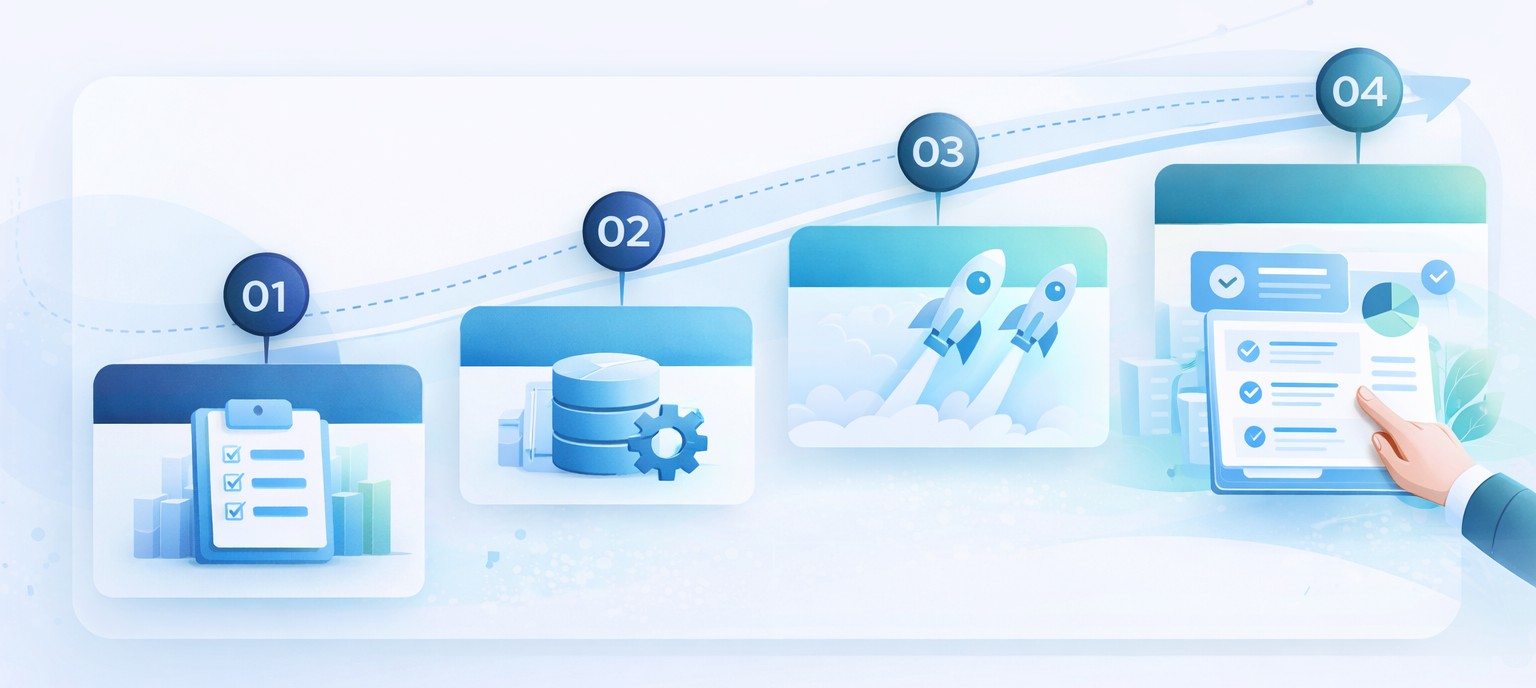
01
Assess
Assess current state
Review workflows, data and the priority scope.
02
Data
Standardize data
Set master data and shared operating rules.
03
Go-live
Roll out by phase
Launch the system step by step by function group.
04
Handover
Training and handover
Enable adoption, transfer knowledge and optimize.
08Key section
User groups
Designed for multiple user groups with clear scope by role.

01
Executives
Track overall business operations.
02
Finance team
Control revenue, expenses and reconciliation.
03
Warehouse team
Manage inbound, outbound and transfer.
04
Sales
Handle customers and sales requests.
05
IT / delivery
Survey and deployment coordination.
06
System admin
Users, roles and permissions.
Access model
Each user group works within a clear operating scope
Executive
Operations
Administration

09Key section
Expansion direction
Ready for integration and future digital transformation stages.

01
Email integration
Stronger notifications and reminders.
02
Digital approval
Support e-sign and digital approval.
03
ERP connection
Connect with existing systems.
04
CRM expansion
Contracts and customer care management.
05
BI dashboard
Analytics and advanced reporting.